1 Pathfinding Developed By Joe Churchwell
I don’t yet
have a great example of a project that I am truly interested in these days
since it is dependent on the micro-controller that I use. Software with machine
interaction is really what I care about and what I would like to do. Robots
that can move autonomously through an unknown environment most certainly fits
the bill.
1.1 Modified A* Rover Simulation
The video below was generated from
the GUI application I built to show the path that an autonomous rover will
traverse. The video is a little choppy as compared to running the application.
You can download all the source code, application files, and directions for
this project here.
Please note the GUI code is a bit raw due to time constraints and I really
placed more emphasis on the C++ code when doing this for my class assignment as
the GUI was just extra credit. It should be noted that the rover is constantly
discovering objects in the environment as it moves and the algorithm doesn’t
try to optimize the shortest path in terms of Euclidian distance but attempts
to minimize the cost of traversal. For this reason, the simulation that
reproduces the Wiki example does not have the same optimized path.
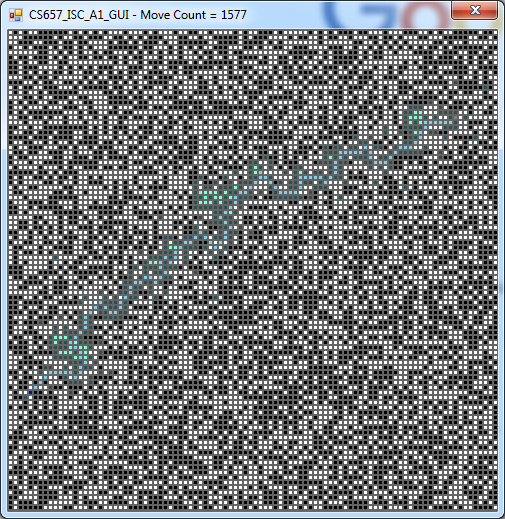
Figure 1.1 - Larger Map
Note: The best way to run the application
(Windows Only) is to download the run folder and load the GUI using a
pre-configured file. You can load these
files using the ‘L’ keyboard key which is what I did in the video.
GUI Command from Keyboard:
|
L – Load a file to run R – Setup a randomized board layout.
An input box will be provided to enter in the blocked percentage S – Stop the simulation Escape – Clears the colored cells Enter – Run the algorithm and animate
the result |
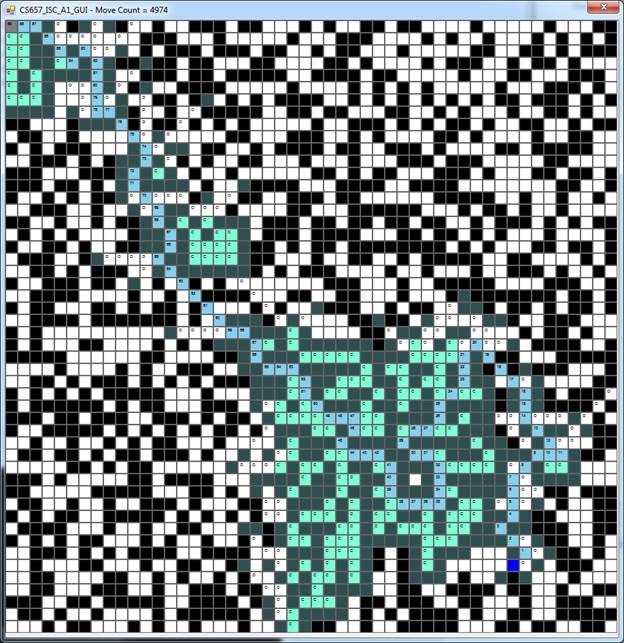
Figure 1.2 - 50 x 50 Map
|
|